Why Does My Cat Sleep on My Keyboard? The Science Behind Feline Work-From-Home Habits
Picture this: you’re in the middle of an important work presentation, fingers flying across the keyboard, when suddenly your furry coworker decides your laptop is the perfect place for an impromptu nap. Sound familiar? If you’re wondering why cats interrupt work and seem magnetically drawn to your keyboard, you’re not alone. This adorable yet frustrating behavior has a fascinating explanation rooted in feline psychology, and understanding it can help you create a more harmonious work-from-home environment for both you and your whiskered companion.
The Heat-Seeking Missile Theory
One of the primary reasons your cat sleeping on keyboard has become a daily occurrence is surprisingly simple: warmth. Cats are natural heat-seekers, with an optimal body temperature slightly higher than humans at around 101-102°F. Your laptop keyboard generates gentle, consistent warmth that creates an irresistible heating pad for your feline friend.
Unlike other warm spots in your home, keyboards provide the perfect combination of ambient heat and a flat, stable surface. The keys create tiny warm pockets that distribute heat evenly, making it feel like a custom-made cat bed. This explains why your cat might ignore their expensive heated bed in favor of your work equipment.

Attention-Seeking Behavior and Social Bonding
Cats are often misunderstood as antisocial creatures, but the truth is quite different. When your cat positions themselves directly between you and your work, they’re engaging in classic attention-seeking behavior. From their perspective, you’re focused intently on this mysterious rectangular object instead of providing them with the attention they deserve.
The Competition Factor
Your keyboard represents competition for your attention, and cats don’t like to lose. By physically placing themselves on your workspace, they’re asserting dominance and ensuring you focus on them instead. This behavior is particularly common in cats who have strong bonds with their owners and crave regular interaction throughout the day.
Scent Marking and Territory
Every time you type, you’re leaving your scent on the keyboard through the natural oils on your fingers. Cats have an incredible sense of smell and are drawn to items that smell like their favorite humans. By lying on your keyboard, they’re mixing their scent with yours, essentially claiming both you and your workspace as their territory.
The Comfort and Security Appeal
Your work area represents a hub of activity and your constant presence, making it feel like a secure location to your cat. The familiar sounds of typing, the glow of the screen, and your consistent presence create a comforting environment that signals safety and routine.
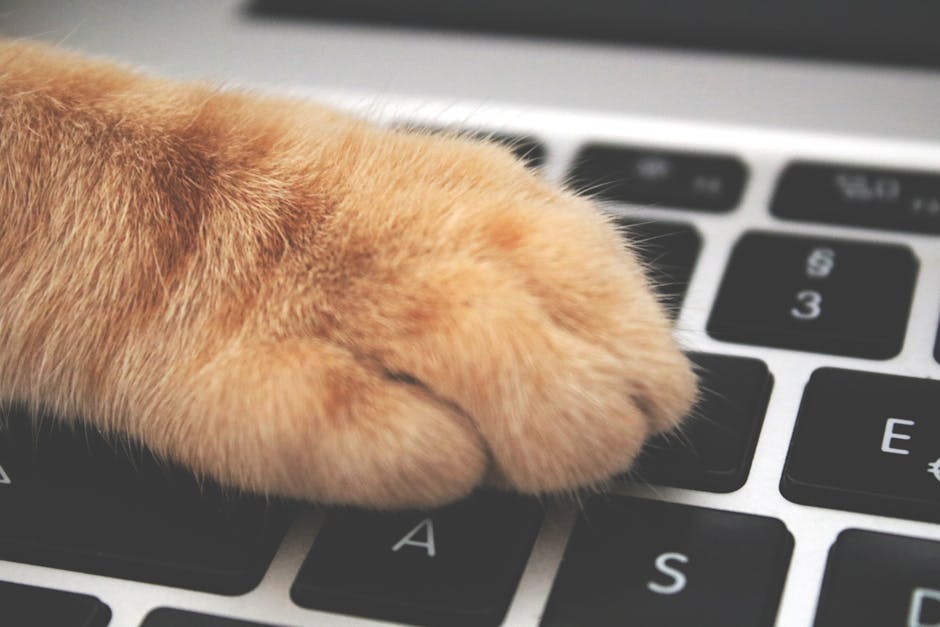
Additionally, keyboards are typically positioned at the perfect height and angle for cats. They’re elevated enough to provide a good vantage point of the surrounding area while remaining easily accessible. This combination of security, comfort, and strategic positioning makes your keyboard an ideal resting spot from your cat’s perspective.
Practical Solutions for Keyboard-Loving Cats
Understanding why cats interrupt work is the first step toward finding solutions that work for both of you. Here are proven strategies to redirect this behavior while maintaining your productivity:
Create an Alternative Workspace
Set up a dedicated “cat workstation” near your desk. Use a heating pad on low heat, covered with a soft blanket or towel, positioned where your cat can still see you and feel included in your work activities. Many pet owners find success with small cardboard boxes or cat beds placed strategically beside their keyboards.
Establish Boundaries with Positive Reinforcement
Rather than pushing your cat away (which often increases their desire to return), try redirecting them to their designated spot with treats and gentle praise. Consistency is key – reward them every time they choose their space over your keyboard.
Schedule Regular Break Times
Incorporate short play sessions or cuddle breaks into your work routine. Five minutes of focused attention every hour can significantly reduce attention-seeking behaviors. This proactive approach often prevents keyboard invasions before they happen.
Physical Barriers and Deterrents
When deadlines loom and redirection isn’t working, gentle deterrents can help. Try placing a piece of aluminum foil over your keyboard during breaks, or use a keyboard cover when not actively typing. Some cats dislike the texture and will seek alternative resting spots.

Technology Solutions for Cat Owners
Modern technology offers several cat-friendly solutions for remote workers. Wireless keyboards allow you to move your typing surface away from the warm laptop, making the computer less appealing as a napping spot. Some pet owners invest in decoy keyboards – old, non-functional keyboards placed near their workspace to satisfy their cat’s desire to “help” with work.
Creating Cat-Friendly Workspaces
Consider your office layout from a cat’s perspective. Provide multiple elevated surfaces, ensure adequate lighting for both of you, and maintain comfortable temperatures throughout your workspace. The goal is creating an environment where your cat feels included without directly interfering with your productivity.
Embracing Your Feline Coworker
While cat sleeping on keyboard incidents can be frustrating during important calls or tight deadlines, remember that this behavior stems from love, comfort-seeking, and natural feline instincts. Your cat views your workspace as an extension of their territory and wants to be close to their favorite human.
The key to managing this behavior lies in understanding your cat’s motivations and providing acceptable alternatives that meet their needs for warmth, attention, and security. With patience, consistency, and creative problem-solving, you can maintain your productivity while keeping your feline supervisor happy. Remember, millions of remote workers worldwide share this delightful challenge, and with the right approach, your cat can become the perfect work-from-home companion rather than a productivity obstacle.